🎮 Moox-Up!
One library to rule them all.
A standalone Windows application that provides a unified interface for all your games from multiple platforms.
💬 Request Beta Access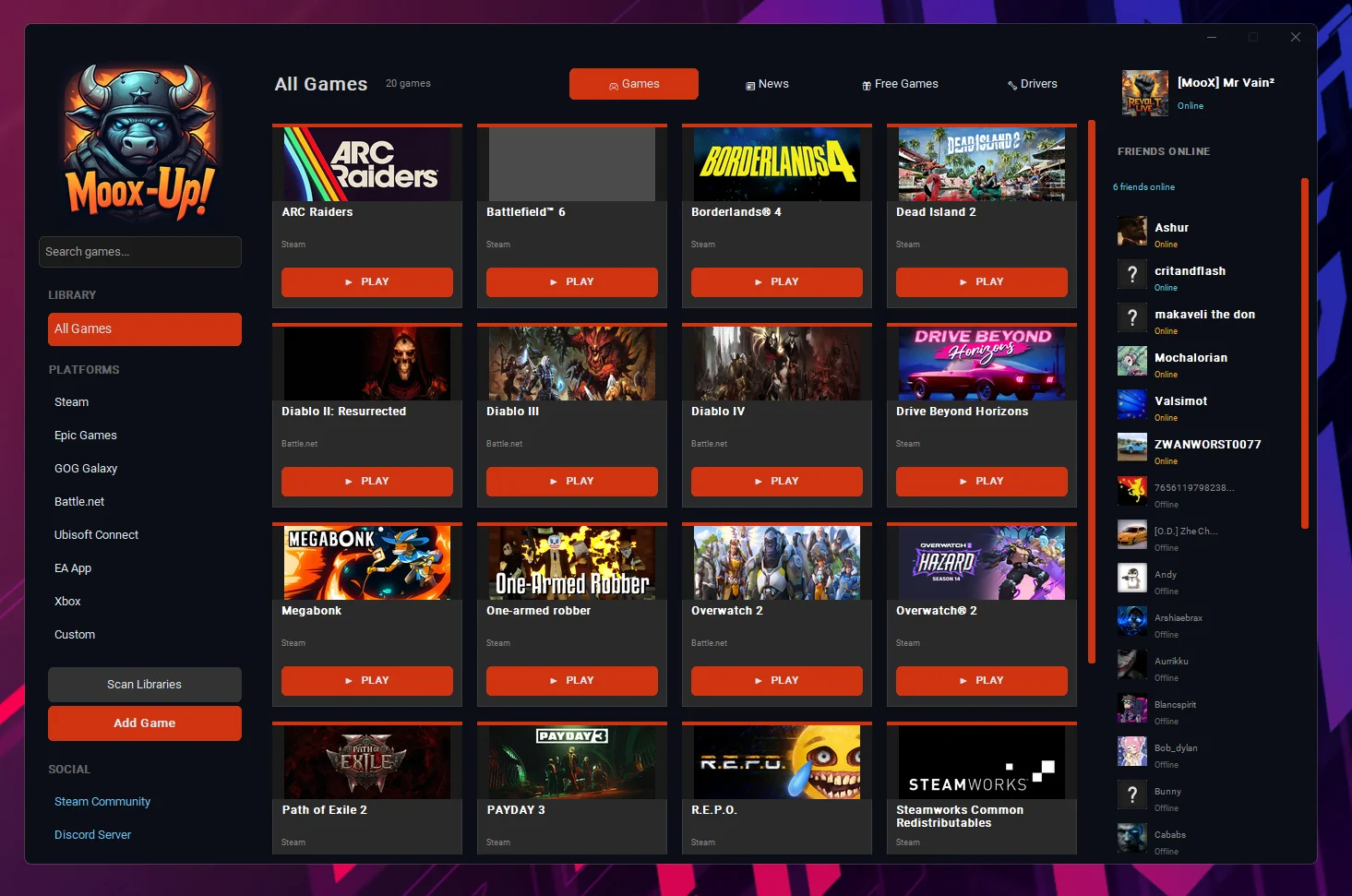
Core Features
Unified Library
All your games from different platforms in one place. No more switching between launchers to find your games.
Direct Launch
Play any game with a single click. Moox-Up! handles the launcher integration automatically.
Smart Search
Quickly find games across your entire library with instant search and platform filtering.
Steam Friends
See what your Steam friends are playing and their online status right from the app.
Minimalistic UI
Clean, modern grey interface with custom background support. No clutter, just your games.
Auto-Scan
Automatically detect and import installed games from supported platforms with one click.
Supported Platforms
| Platform | Auto-Import | Direct Launch |
|---|---|---|
| 🟦 Steam | ✅ Yes | ✅ Yes |
| ⬛ Epic Games Store | ✅ Yes | ✅ Yes |
| 🟪 GOG Galaxy | ✅ Yes | ✅ Yes |
| 🔵 Battle.net | 🔧 Manual | ✅ Yes |
| 🔷 Ubisoft Connect | 🔧 Manual | ✅ Yes |
| 🟧 EA App / Origin | 🔧 Manual | ✅ Yes |
| 🟩 Xbox | 🔧 Manual | ✅ Yes |
| ⚙️ Custom Games | ✅ Yes | ✅ Yes |
Note: Auto-import scans standard installation paths. Games from platforms marked with 🔧 can be added manually and will still launch through their respective launchers.
📋 Requirements
Usage Guide
🔄 Automatic Import
- Click "🔄 Scan Libraries" in the sidebar
- Moox-Up! will scan for installed games from Steam, Epic Games, and GOG Galaxy
- Newly found games are automatically added to your library
➕ Manual Import
- Click "➕ Add Game" in the sidebar
- Enter the game name and select the platform
- Browse to the game's executable (.exe)
- Optionally add a Launch ID for protocol-based launching
- Click "Add Game"
▶️ Launching Games
Simply click the "▶ Play" button on any game card. Moox-Up! will open the game through its native launcher, which handles authentication and updates. Your game starts automatically!
🔍 Filtering & Searching
- Platform Filter: Click any platform in the sidebar to filter games
- Search: Type in the search box to filter games by name
- All Games: Click "📚 All Games" to see your complete library
Data Storage
All data is stored locally in ~/.moox-up/
games.json- Your game librarysettings.json- Application settings
🔒 No data is ever sent to external servers. Your gaming library is completely private.
Roadmap
Credits
🎮 Ready to Unify Your Gaming Library?
Join the beta and be among the first to experience Moox-Up!
💬 Join Discord to Request Access